A small office network stack should be simple enough to maintain and structured enough to grow beyond the first router. The aim is to help a small team make a durable decision rather than chase a spec sheet or a temporary price badge. We use public evidence and practical ownership questions because office electronics are judged after the box is opened, not on the product grid.
The source set for this revision includes Omada ER605 official page, Ubiquiti Cloud Gateway Ultra official page, NETGEAR GS308E official page, Omada EAP610 official page. Manufacturer pages are useful for specifications and support promises, but Burgiss Waring also weighs setup ownership, replacement friction, and whether a non-specialist can keep the device useful. For site-level standards, see About Burgiss Waring and our editorial policy.
Quick verdict
Build around one management approach, enough ports, clear Wi-Fi coverage, and support pages that a small team can use without a network specialist. The best purchase is the one that creates fewer interruptions across the next year. That means the support page, cable plan, consumable path, warranty wording, and daily handover are part of the decision, even when a cheaper device has similar headline specifications.
| Evaluation factor | Why it matters | Weight |
|---|---|---|
| Workflow fit | The device must solve a real office job, not a vague upgrade wish. | High |
| Setup friction | Shared gear fails when only one person knows how it works. | High |
| Support clarity | Public documentation and replacement guidance reduce downtime. | High |
| Ownership cost | Consumables, accessories, batteries, and downtime change the real price. | Medium |
How we read this category
We read small-office networking as shared infrastructure with support consequences. A router, gateway, switch, and access point should be chosen around the office map, not around isolated specifications. Official pages help with device role and support evidence, but the decisive questions are who configures the stack, how settings are backed up, where cables run, and what happens when the connection fails during work. A simple network that is documented can be more mature than an advanced stack nobody can recover.
A useful shortlist should slow the buyer down in the right places. Before purchase, write down who owns setup, what failure would interrupt work, where documentation lives, and what accessory or consumable is needed first. If those answers are missing, the shortlist is not ready.
Shortlist notes
Omada ER605 router
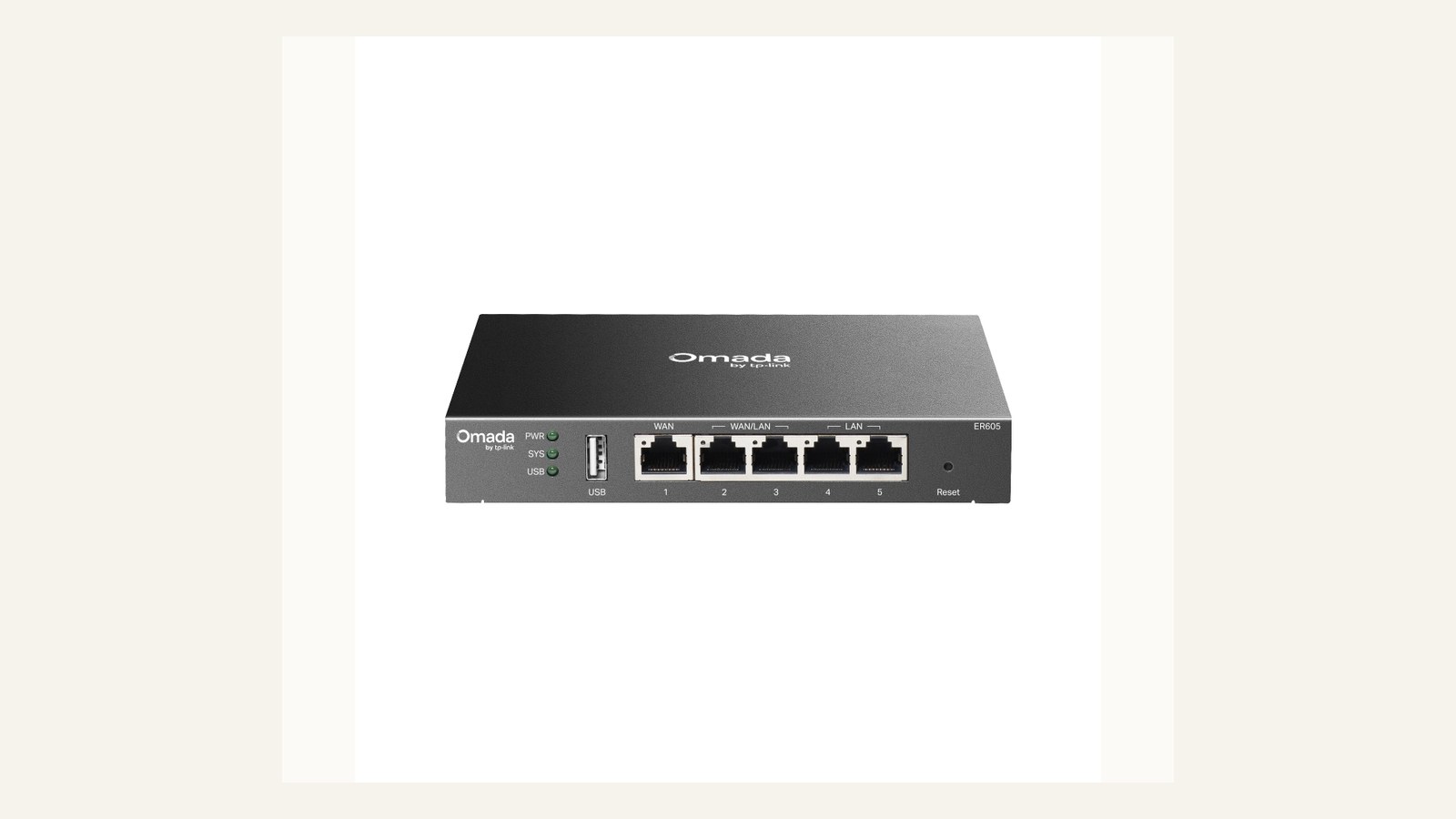
An ER605-style router is a sensible small-office candidate when the team needs a clearer boundary between consumer convenience and business network control. Judge it by WAN needs, VPN requirements, guest network design, firmware visibility, and whether the office has someone comfortable with configuration.
Do not buy a managed router just because it sounds more professional. If nobody will document settings, backups, and admin access, a simpler device may be safer. The purchase should include a configuration record, not just hardware.
Ubiquiti Cloud Gateway Ultra
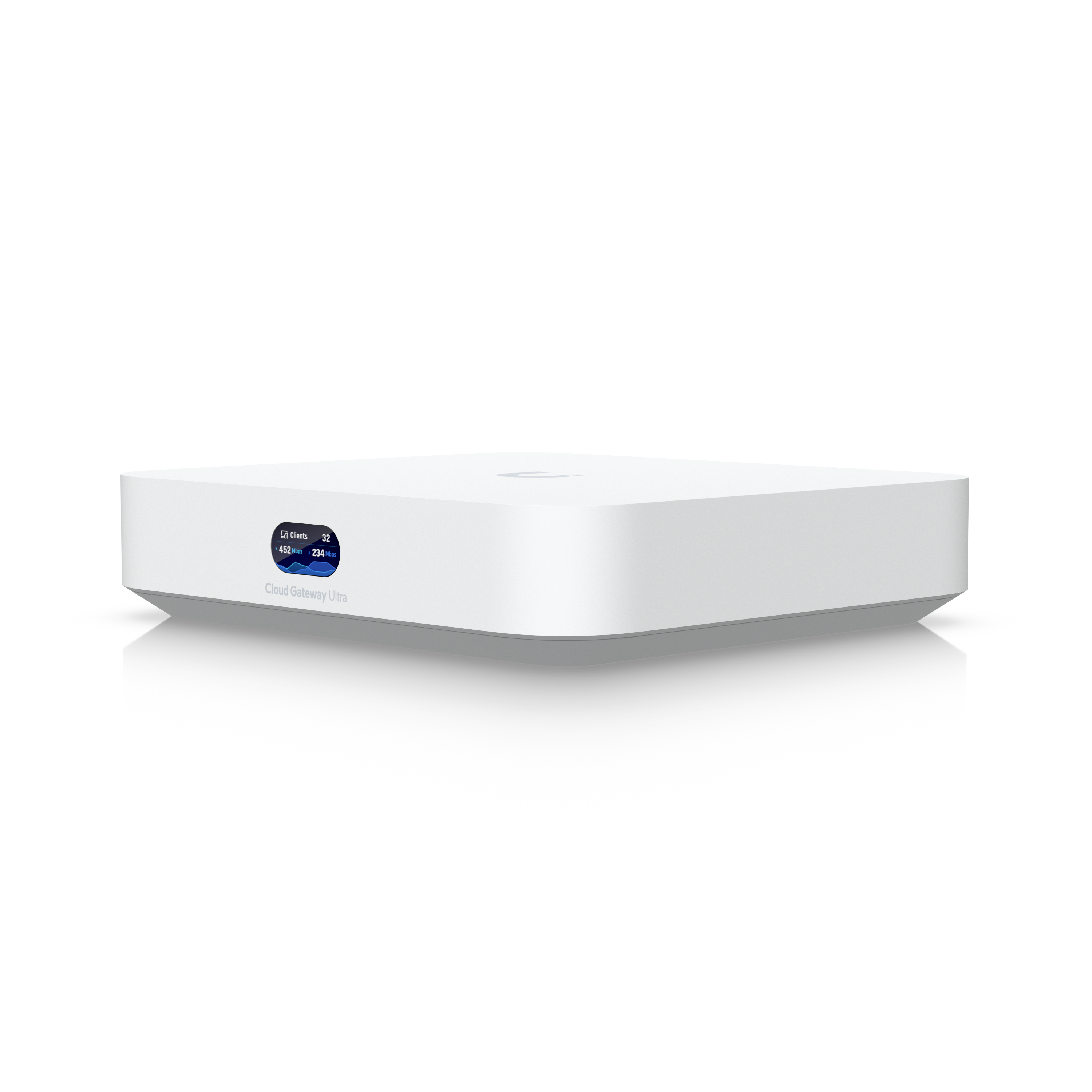
A gateway appliance can make sense when the office wants a more integrated management view and expects to grow the network. The benefit is centralised visibility. The risk is that account access, backups, and cloud-dependent management become new operational responsibilities.
Before approving, decide who owns admin credentials, where recovery codes live, and how a replacement would be configured after a failure. Network hardware should be bought with the disaster note already written, because the team will need it when the internet is down.
NETGEAR GS308E switch
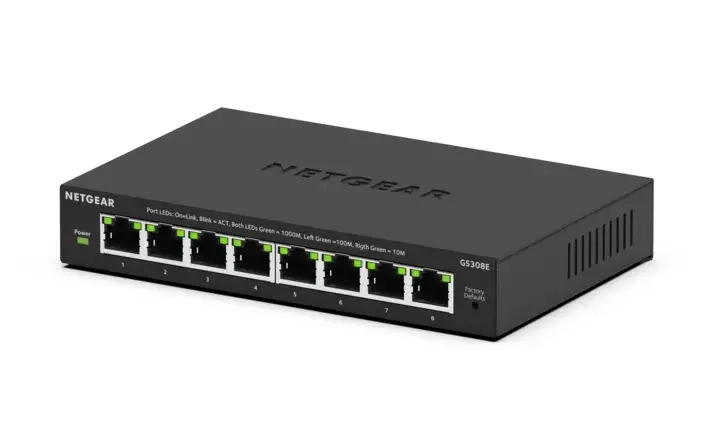
A small managed switch is useful when the office needs more wired ports, basic visibility, or light segmentation without a rack project. Check port count with growth included, mounting position, power brick placement, and whether the interface is simple enough for the support owner.
Switch purchases often fail by undercounting. List desks, printers, access points, NAS devices, VoIP adapters, and any temporary bench gear. If the list already fills the switch, buy more headroom or the office will be replacing it too soon.
Omada EAP610 access point
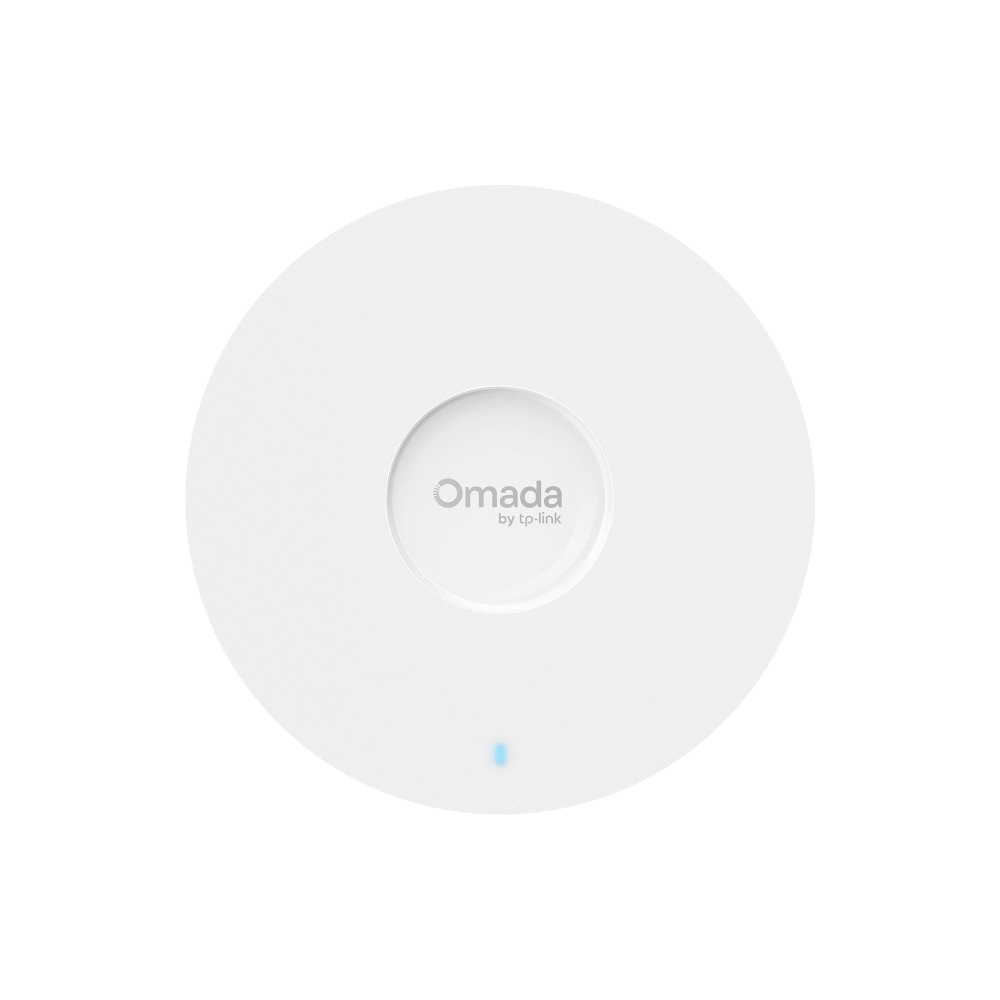
A dedicated access point is the right conversation when Wi-Fi coverage, guest access, or roaming has become a work problem. It should be evaluated by placement, PoE plan, ceiling or wall mounting, and whether the office can update and monitor it without guesswork.
Do not approve an access point until the cable route is known. Wireless performance is often blamed on the device when the real issue is poor placement or a temporary cable. The acceptance test should include the weakest room, not only the desk beside the router.
Ownership and support signals
Support clarity is not a small detail. Public driver pages, manuals, firmware notes, warranty wording, battery guidance, and replacement accessories determine whether a device remains useful after the original buyer is busy. When a page is polished but support evidence is vague, we lower confidence.
The strongest ownership pattern is simple: name the device owner, save the official support page, record model numbers, and decide what will happen when the device fails during a normal workday. This habit matters for every category on Burgiss Waring because most office electronics are shared by people who did not choose them.
Common mistakes to avoid
The first mistake is buying around a single impressive number. Print speed, camera resolution, port count, VA rating, screen size, or battery runtime can matter, but none of them replaces workflow fit. The second mistake is treating a sale as a decision. A lower price can still be expensive when it brings unclear support, poor accessories, or avoidable downtime.
The third mistake is comparing devices without a handover note. If another employee cannot understand how to connect, maintain, restart, refill, or replace the device, the office has bought a dependency rather than a tool.
Practical buying note
Before ordering, write a one-page ownership note for the device. Include the exact model name, the official support page, required cables or supplies, where receipts are stored, and the person who decides when the device is replaced. This small document prevents a common small-office failure: the team remembers why a device was bought, but not how it should be maintained. It also keeps future comparisons honest, because the next purchase can be judged against a real workflow rather than a memory of the old problem.
Procurement acceptance check
Before buying network hardware, sketch the office map and mark the modem, router, switch, access point, printer, call room, and guest seating. Then verify whether the proposed stack can be supported by someone who is not the original installer. Save the admin URL, firmware page, guest network policy, and cable labels in a secure ownership note. The right network stack is usually boring after installation: calls stay stable, printers remain visible, and nobody has to guess which box to restart during a normal workday.
Network acceptance workflow
Draw the network before buying. The drawing can be simple: internet handoff, router, switch, access point, printer, desk ports, and any device that must stay online during a short outage. Use the drawing to decide whether the purchase is a router upgrade, Wi-Fi coverage fix, switch expansion, or support documentation problem.
The acceptance test should include a restart, a firmware check, a guest network check, and a walk through the weakest Wi-Fi area. Save admin access, support pages, model numbers, and backup instructions in a place reachable when the internet is down. That last condition matters: cloud notes are not enough if the only connection has failed.
Pause the purchase if the office cannot name the support owner. Network gear is shared infrastructure. It needs a change log, not just a receipt. A small amount of documentation prevents a future router swap from becoming an all-day interruption.
Scoring worksheet for a network stack
Score topology clarity first. Full credit means the office has a drawing that shows internet handoff, router, gateway, switch, access points, printers, wired desks, and guest coverage. Partial credit means the buyer knows the main problem but has not mapped dependencies. No credit means the purchase is a reaction to slow Wi-Fi without knowing where the bottleneck sits.
Score admin ownership next. Network gear needs saved credentials, firmware notes, backup settings, cable labels, and a change log. If a device requires a cloud account or controller, the recovery path should be written before installation. A powerful gateway is a weak choice when only the installer can manage it. A simpler router can be stronger when the team can restart and replace it calmly.
Score coverage and resilience last. Walk the weakest room, restart the stack, test guest access, and confirm printers or shared devices remain reachable. Refresh the stack when the office adds desks, VoIP, access points, guest traffic, or security requirements. Also refresh when the support owner changes and nobody can explain the current setup. Networking should become boring after deployment; if it stays mysterious, the purchase was incomplete.
Where to go next
Use this article with the adjacent Burgiss Waring guides: office electronics price watch desk ups battery backup guide business webcams small meeting rooms support index office electronics Keep the support index, the deals desk, the printer shortlist, and the network stack guide open when a purchase touches more than one device category.
For procurement teams, the final check is consistency. Use the same scoring language across every shortlisted device: what job it performs, what support evidence exists, what extra parts are needed, and what happens when it fails. This prevents a monitor, printer, router, UPS, webcam, or headset from being approved for different reasons that cannot be compared later.
Edge cases before approval
Check who is allowed to change the network. A small office can lose a day to a well-meant setting change if there is no change log or backup. Before buying managed gear, decide whether configuration changes require approval, where backups live, and how the team records firmware updates. Governance sounds heavy until the first outage.
Also check non-desk devices. Printers, card terminals, cameras, VoIP adapters, guest devices, and meeting-room screens often depend on the network but are forgotten in a laptop-first plan. Walk the office and mark every device that needs connectivity. If the map misses these edges, the stack may look tidy while daily work remains fragile.
Final procurement note
Approve the network stack only when the office map, admin owner, and recovery note exist. The final note should include device roles, cable labels, firmware pages, backup settings, and guest network policy. Network gear is not complete when it is online; it is complete when someone else can recover it.
For refresh planning, log topology changes. New desks, VoIP, card terminals, guest traffic, cameras, or meeting-room screens can outgrow a tidy original plan. The network should be reviewed when dependencies change, not only when speed feels slow.
A final network check should include someone outside the setup process. Give that person the map and ask them to identify the modem, router, switch, access point, and restart order. If the explanation fails, the documentation is not ready. Small-office networks break at the boundary between hardware and memory; the stack is healthier when the room itself tells the next person what to do.
FAQ
Does a small office need business networking gear?
Not always. A very small room may survive with consumer hardware, but business gear becomes more attractive when several people share printers, calls, cloud apps, and wired desks. The signal is recurring friction, not company size alone.
How often should a small office refresh shared electronics?
Refresh timing should follow support risk, not a fixed calendar. Replace earlier when drivers, batteries, consumables, or firmware support become unreliable. If a device still has clear support documentation, available accessories, and no recurring workflow problems, it can remain in service longer.
Should we buy the cheapest option if the specifications match?
Not automatically. Similar specifications can hide different support paths, setup effort, consumable costs, and downtime risk. A slightly more expensive device is often the better value when it is easier to maintain and easier for non-specialists to use.
Do affiliate links affect Burgiss Waring rankings?
No. Commercial availability is separate from editorial scoring. We may earn commissions from some outbound links, but rankings are based on workflow fit, support clarity, ownership cost, and documented buyer risk.