A small meeting room webcam should solve framing and setup first, then work alongside the room audio plan. The aim is to help a small team make a durable decision rather than chase a spec sheet or a temporary price badge. We use public evidence and practical ownership questions because office electronics are judged after the box is opened, not on the product grid.
The source set for this revision includes Logitech Brio 505 specifications, Dell Pro Webcam WB5023 official page, AnkerWork PowerConf C200 official page. Manufacturer pages are useful for specifications and support promises, but Burgiss Waring also weighs setup ownership, replacement friction, and whether a non-specialist can keep the device useful. For site-level standards, see About Burgiss Waring and our editorial policy.
Quick verdict
Pick a webcam around room size, mounting, and audio pairing before comparing resolution claims. Poor placement can make a strong camera look weak. The best purchase is the one that creates fewer interruptions across the next year. That means the support page, cable plan, consumable path, warranty wording, and daily handover are part of the decision, even when a cheaper device has similar headline specifications.
| Evaluation factor | Why it matters | Weight |
|---|---|---|
| Workflow fit | The device must solve a real office job, not a vague upgrade wish. | High |
| Setup friction | Shared gear fails when only one person knows how it works. | High |
| Support clarity | Public documentation and replacement guidance reduce downtime. | High |
| Ownership cost | Consumables, accessories, batteries, and downtime change the real price. | Medium |
How we read this category
We read small-room webcam choices as a meeting reliability problem. The camera has to fit the room shape, speaker distance, window position, laptop habits, and audio plan. A good product page can tell us resolution, field of view, and software support, but it cannot prove that the far chair in a cramped room will be visible or that keyboard noise will stay out of the call. That is why this page treats placement, mounting, cable discipline, privacy controls, and recovery notes as first-class buying criteria. We do not claim private lab measurements; we use official documentation and practical acceptance checks to keep the shortlist grounded in repeatable office use.
A useful shortlist should slow the buyer down in the right places. Before purchase, write down who owns setup, what failure would interrupt work, where documentation lives, and what accessory or consumable is needed first. If those answers are missing, the shortlist is not ready.
Shortlist notes
Logitech Brio 505

A Brio-style desk webcam makes sense when the room is really a shared desk or two-person huddle space, not a boardroom. Judge it by mounting height, cable reach, privacy control, and whether the team can keep firmware and camera settings consistent without one person becoming the meeting-room technician. A clear support page matters as much as the sensor description because camera faults usually surface five minutes before a call.
Before approving this path, run a live-call rehearsal from the actual table position. Check faces at the far edge of the frame, exposure against the brightest window, and whether the microphone plan is separate enough for hybrid calls. If the webcam is doing both video and room audio, the room is probably being under-specified.
AnkerWork PowerConf C200 fixed-room setup

A fixed C200-style setup is attractive when the room has one reliable seat line, one screen, and no expectation that the camera will move. The risk is treating a compact camera as a complete meeting system. Video quality can be acceptable while audio pickup, echo control, and table placement still make the room feel unreliable.
Use this option only after the table layout is settled. Mark the cable route, save the control software link, and decide whether the camera stays with the room or travels with a laptop. If the answer changes week to week, a fixed-room purchase will create more friction than it removes.
AnkerWork PowerConf C200 flexible desk setup
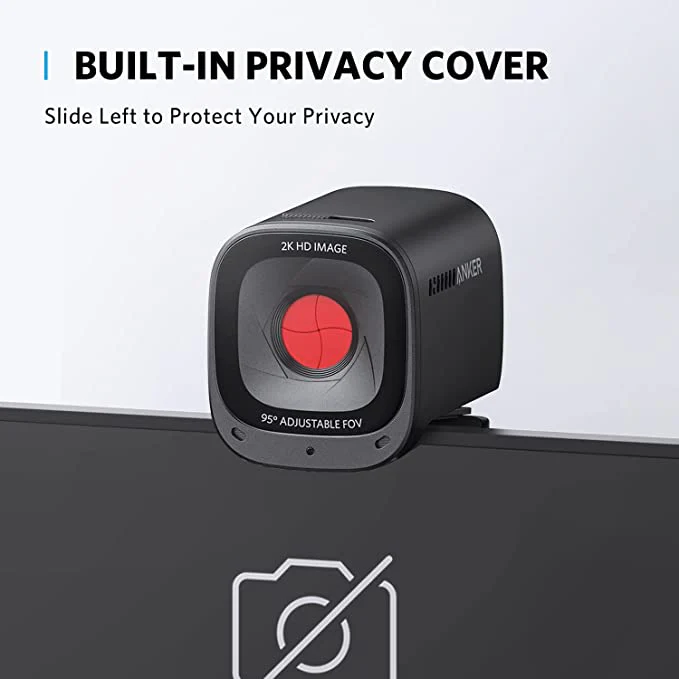
The flexible desk version is better for teams that rotate rooms or use loaner laptops. Its value is portability, not a permanent-room promise. Check whether the mount survives repeated moves, whether the cable reaches a side port cleanly, and whether the image remains usable when the camera sits below eye level.
This is where a small office should write down the handover rule. If a camera is shared, it needs a named storage place, a spare cable, and a note that says which meeting app settings should be reset. Without that, the next user inherits somebody else's meeting preferences.
Room placement plan
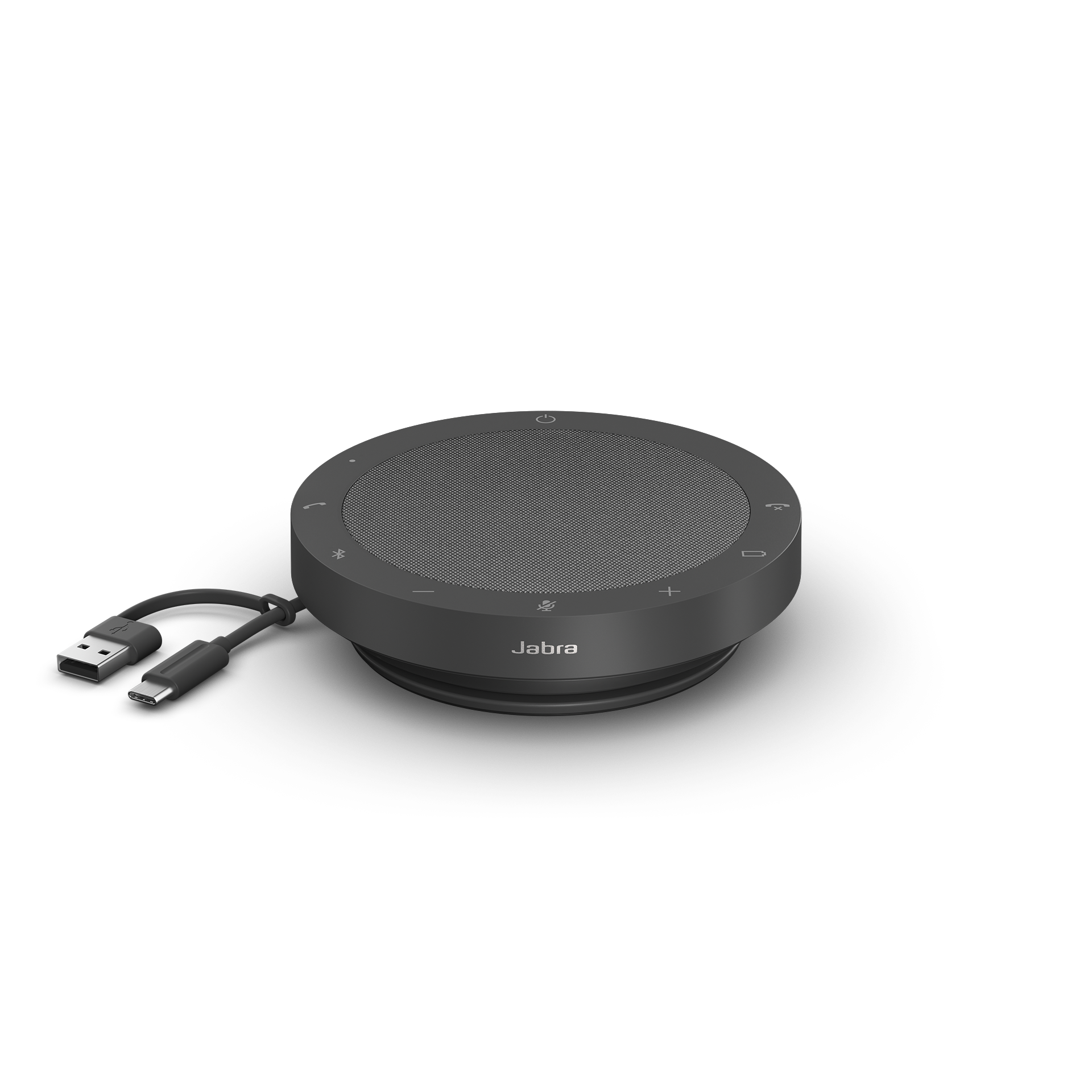
The room placement plan is the part most teams skip. A webcam can look fine in a product image and still fail when the table is too wide, the screen is too high, or the brightest wall sits behind the speaker. Pairing a camera with a speakerphone or headset plan avoids the common mistake of improving video while leaving audio vague.
A good acceptance test is simple: call from the room, record thirty seconds, and watch it from a remote worker's laptop. If names are hard to follow, faces are cropped, or keyboard noise dominates, the purchase is not ready even if every listed specification looks strong.
Ownership and support signals
Support clarity is not a small detail. Public driver pages, manuals, firmware notes, warranty wording, battery guidance, and replacement accessories determine whether a device remains useful after the original buyer is busy. When a page is polished but support evidence is vague, we lower confidence.
The strongest ownership pattern is simple: name the device owner, save the official support page, record model numbers, and decide what will happen when the device fails during a normal workday. This habit matters for every category on Burgiss Waring because most office electronics are shared by people who did not choose them.
Common mistakes to avoid
The first mistake is buying around a single impressive number. Print speed, camera resolution, port count, VA rating, screen size, or battery runtime can matter, but none of them replaces workflow fit. The second mistake is treating a sale as a decision. A lower price can still be expensive when it brings unclear support, poor accessories, or avoidable downtime.
The third mistake is comparing devices without a handover note. If another employee cannot understand how to connect, maintain, restart, refill, or replace the device, the office has bought a dependency rather than a tool.
Practical buying note
Before ordering, write a one-page ownership note for the device. Include the exact model name, the official support page, required cables or supplies, where receipts are stored, and the person who decides when the device is replaced. This small document prevents a common small-office failure: the team remembers why a device was bought, but not how it should be maintained. It also keeps future comparisons honest, because the next purchase can be judged against a real workflow rather than a memory of the old problem.
Procurement acceptance check
Before the webcam is accepted, verify it from the seat that guests actually see on calls. Record whether faces stay centred, whether the mount blocks a monitor or whiteboard, whether the USB cable reaches without strain, and whether the room still needs a separate speakerphone. The buyer should also save the support page, firmware notes, and preferred conferencing app settings in the room handover note. A camera that looks strong on a laptop can still be the wrong room purchase if nobody can reproduce the framing after the first meeting.
Meeting-room acceptance workflow
Treat the purchase as a room decision, not a webcam decision. Measure the table, note where laptops sit, and decide whether the camera will face a window, a whiteboard, or a wall. Then test with the same conferencing app the team uses most often. Browser calls, desktop apps, and managed meeting-room software can expose different default camera and microphone settings, so the setup should be checked in the real workflow.
The acceptance note should include the mount position, preferred resolution, microphone source, speaker source, and the person who owns firmware or app updates. If the room is used by visitors, add a one-line recovery instruction: what to unplug, what to restart, and where the spare cable lives. That small note is usually more valuable than another feature badge on the box.
Pause the purchase if the room has no stable seating pattern or if the team expects one camera to solve both video and poor audio. The better path may be a simpler webcam plus a dedicated speakerphone, or headsets for the people who join calls most often. The aim is a room that starts meetings calmly, not a device that looks better in isolation.
Scoring worksheet for a meeting-room camera
Score room fit first. Give full credit when the camera has a stable mount, covers the actual seating position, avoids strong backlight, and can stay connected without a user rebuilding the setup for every call. Give partial credit when the image is good only after laptop height or room lighting is adjusted. Give no credit when the purchase assumes a different room layout from the one the team really uses.
Score audio separation next. A camera with a built-in microphone can work for one person at a desk, but a small meeting room often needs a speakerphone or headset rule. The office should record which microphone and speaker source the room uses by default. If users must guess inside Teams, Zoom, or Meet before every call, the device has failed the workflow even if the camera image is clean.
Score support and handover last. The best device for a shared room has a saved support URL, a spare cable, a known reset step, and a simple owner. A lower-cost camera can be acceptable when those basics are strong. A more advanced camera should be rejected when the setup depends on one person's laptop, one undocumented app setting, or a mount nobody else understands. Refresh the room when support notes disappear, cable wear becomes visible, or remote participants report the same audio or framing complaint twice in a month.
Where to go next
Use this article with the adjacent Burgiss Waring guides: office call audio headsets speakerphones qhd usb c monitors office work small office network stack office electronics price watch Keep the support index, the deals desk, the printer shortlist, and the network stack guide open when a purchase touches more than one device category.
For procurement teams, the final check is consistency. Use the same scoring language across every shortlisted device: what job it performs, what support evidence exists, what extra parts are needed, and what happens when it fails. This prevents a monitor, printer, router, UPS, webcam, or headset from being approved for different reasons that cannot be compared later.
Edge cases before approval
Check the room's worst hour, not the best one. Morning glare, late-afternoon backlight, glass partitions, and people sitting slightly outside the usual frame can change the result. If the room is used for interviews or client calls, privacy controls and predictable framing deserve more weight than novelty features.
Also decide how the setup handles visitors. A visiting laptop should not require a long explanation, a hidden adapter, or an app that only the regular team has installed. Keep one known-good cable in the room and label the preferred camera and microphone names. If a guest cannot join a call in two minutes with light help, the room setup is not yet a business tool.
Final procurement note
Approve the camera only when the room owner can reproduce the setup without the original buyer. The final note should name the default conferencing app, the selected camera and microphone, the cable path, and the fallback if a visitor's laptop will not connect. A camera that depends on a hidden setting is not ready for shared use.
For refresh planning, keep a simple complaint log. Repeated notes about cropped faces, poor light, or hard-to-hear speakers are stronger evidence than a single dramatic failure. When the same complaint appears twice, retest the room before buying more hardware.
FAQ
Does a small meeting room need a 4K webcam?
Not necessarily. A well-placed 1080p or 2K webcam can outperform a poorly placed high-resolution model. Choose resolution after room layout, field of view, mounting height, and audio plan are already clear.
How often should a small office refresh shared electronics?
Refresh timing should follow support risk, not a fixed calendar. Replace earlier when drivers, batteries, consumables, or firmware support become unreliable. If a device still has clear support documentation, available accessories, and no recurring workflow problems, it can remain in service longer.
Should we buy the cheapest option if the specifications match?
Not automatically. Similar specifications can hide different support paths, setup effort, consumable costs, and downtime risk. A slightly more expensive device is often the better value when it is easier to maintain and easier for non-specialists to use.
Do affiliate links affect Burgiss Waring rankings?
No. Commercial availability is separate from editorial scoring. We may earn commissions from some outbound links, but rankings are based on workflow fit, support clarity, ownership cost, and documented buyer risk.